Help & Support
FAQ
Frequently asked questions about BauBuddy
Where do I find the software for my PC / Laptop?
When you registered, we sent you an email containing the web link that takes you to your web portal.
You can open the link in any standard browser (Microsoft Edge, Mozilla Firefox, Google Chrome, …). Log in with your email address or employee ID and the password you have chosen.
How is the information structured?
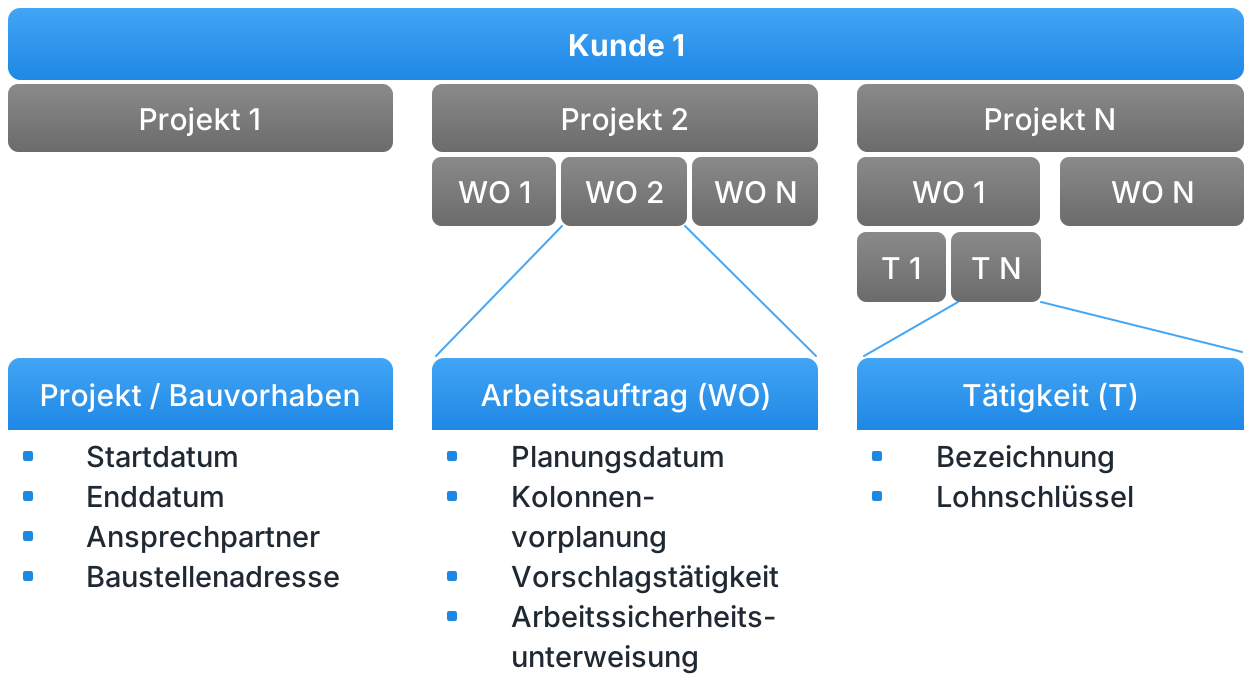
Each customer can have multiple projects (construction sites). Under each project, work orders (WO) are created, to which individual activities (T) are assigned.
How can my employees connect to the app?
The following video shows the onboarding process step by step – from downloading the app to the first login with your credentials.
How do I create an internal project?
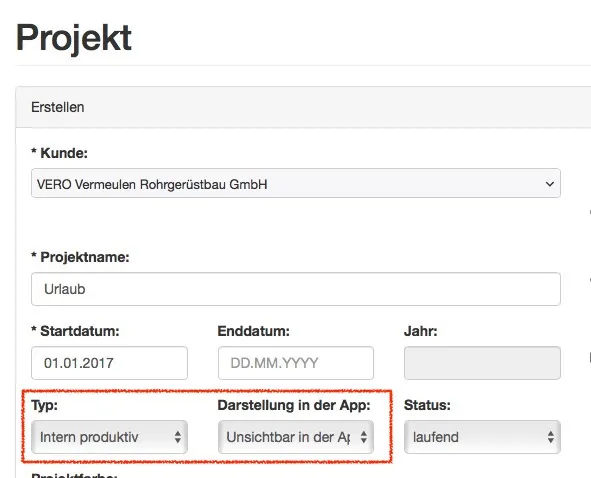
Set the desired project to the type “internally productive”. Then choose how the project should be displayed in the app:
- Visible in the app – e.g. warehouse work or workshop
- Hidden in the app – e.g. holiday or sick leave